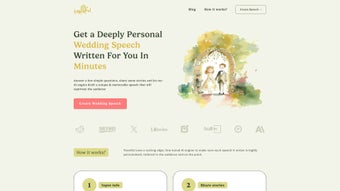

Download Toastful – AI Wedding Speech Generator, Personalized Speech Writer
Overview
Toastful is a web‑based AI tool that transforms the daunting task of writing a wedding speech into a smooth, creative experience. Whether you are the best man, maid of honor, father of the bride, or any other key speaker, Toastful asks you to provide essential details about the couple, your relationship to them, and memorable anecdotes that define their love story. The AI then weaves these inputs into a polished, emotionally resonant speech that feels genuinely personal.
Once the draft is ready, you can download it instantly as a high‑resolution PDF, ready for printing or digital reference on the big day. The platform’s clean, intuitive interface requires no technical expertise—just a few clicks, thoughtful answers, and the confidence that your words will shine. While Toastful handles the heavy lifting of content creation, it also encourages users to rehearse and add their own flair, ensuring the final delivery is authentic and heartfelt.
Ideal for anyone tasked with delivering a wedding toast, Toastful saves time, reduces anxiety, and helps you focus on the performance rather than the writing process.
Key Features that Set Toastful Apart
- AI‑Powered Personalization: The algorithm adapts to the unique details you provide, from shared hobbies to quirky inside jokes, guaranteeing a speech that feels tailor‑made.
- Role‑Specific Templates: Choose from pre‑designed structures for best man, maid of honor, father of the bride, or any other speaking role, ensuring appropriate tone and length.
- Instant PDF Export: Generate a printable, high‑quality PDF with one click, complete with formatting that’s ready for a wedding program or personal notes.
- User‑Friendly Dashboard: A clean web interface that guides you step‑by‑step, requiring no software download or installation.
- Multiple Revision Rounds: Refine the speech by editing inputs or asking the AI for alternative phrasings, giving you full control over the final draft.
- Secure Data Handling: All personal details are encrypted during transmission and deleted after the session, protecting privacy.
- Cross‑Platform Accessibility: Accessible from any modern browser on Windows, macOS, Android, or iOS devices.
- Built‑In FAQ & Support: On‑demand help articles and live chat for quick answers during the creation process.
Installation, Setup & Everyday Usage
Getting Started – No Download Required
Toastful lives entirely in the cloud, which means you never have to install bulky software on your computer. Simply navigate to toastful.com using any up‑to‑date web browser (Chrome, Edge, Safari, or Firefox). The first step is to create a free account using an email address or a single‑click sign‑in with Google or Apple ID. This account stores your session data securely, allowing you to pause and resume speech creation at any time.
Step‑by‑Step Workflow
- Choose Your Role: Select whether you are the best man, maid of honor, parent, or another speaker.
- Enter Core Details: Provide the couple’s names, wedding date, venue, and any theme you’d like reflected.
- Share Personal Stories: Input anecdotes, favorite memories, or funny incidents that capture the essence of the relationship.
- Set Tone & Length: Choose a tone (heartfelt, humorous, formal) and specify desired word count.
- Generate & Review: Click “Create Speech” and let the AI craft a draft. Review the output, request tweaks, or ask for alternative phrasing.
- Export: When satisfied, click “Download PDF” to receive a print‑ready document. You can also copy the text to a personal notes app for practice.
Throughout the process, Toastful provides real‑time suggestions, such as adding a transition line or adjusting pacing. The platform also includes a built‑in timer that helps you gauge the speech’s length when spoken aloud. Once exported, you can print the PDF at home or send it to a professional printer for a polished handout.
Because everything runs in the browser, updates and improvements are rolled out automatically—no manual patches or version checks required. This ensures you always benefit from the latest AI enhancements and security patches.
Compatibility, Pros & Cons, & Overall Rating
Toastful works on any device with a modern web browser, including Windows 10/11, macOS Monterey and later, Android 9+, and iOS 14+. No additional plugins or extensions are needed, making it a universally accessible solution for wedding planners, friends, and family members across platforms.
Pros
- Instant, AI‑driven personalization eliminates writer’s block.
- Role‑specific templates keep tone appropriate for any speaker.
- One‑click PDF export provides a ready‑to‑print document.
- Fully cloud‑based—no installation, automatic updates.
- Secure handling of personal data with end‑to‑end encryption.
- Accessible on Windows, macOS, Android, and iOS.
- Free basic plan; premium features available at a modest price.
Cons
- AI may occasionally produce generic phrasing that needs manual refinement.
- Internet connection required; offline usage isn’t possible.
- Advanced customization (e.g., custom fonts in PDF) limited to premium tier.
- Speech delivery still depends on the speaker’s practice and confidence.
Overall Rating: 4.5 out of 5 stars
Toastful excels at turning heartfelt stories into polished speeches with minimal effort. Its cross‑platform accessibility and secure, cloud‑first design make it a standout choice for anyone facing the pressure of a wedding toast. While a bit of human touch is still required to perfect the final delivery, the tool’s speed, ease of use, and personalized output justify its place in any wedding planning toolkit.
Frequently Asked Questions
Is Toastful really free to use?
Toastful offers a robust free tier that allows you to generate up to three speeches per month. Premium plans unlock unlimited drafts, advanced formatting options, and priority support.
Can I edit the speech after it’s generated?
Absolutely. After the initial draft, you can request revisions, add new anecdotes, or manually edit the text directly within the platform before exporting the final PDF.
Do I need an internet connection to use Toastful on my wedding day?
No. Once you’ve downloaded the PDF, you can access it offline on any device. However, creating or editing speeches does require an active internet connection.
Is my personal information safe?
Toastful uses SSL encryption for all data transmission and automatically deletes session data after 48 hours, ensuring your personal stories remain private.
Can I use Toastful for speeches other than weddings?
While the platform is optimized for wedding speeches, you can adapt the input fields to craft speeches for anniversaries, engagements, or even corporate events.
Conclusion & Call to Action
Crafting a memorable wedding speech no longer needs to be a nerve‑wracking marathon of drafts and late‑night Googling. Toastful combines the creativity of AI with a user‑centric design, delivering a personalized, ready‑to‑print speech in minutes. Whether you’re the nervous best man, the enthusiastic maid of honor, or a proud parent, this tool gives you the confidence to step up to the mic and speak from the heart. Ready to make your toast unforgettable? Sign up for a free account today, generate your first speech, and experience the ease of AI‑powered storytelling for yourself.



.png)



